Convert Files
Without The Cloud
Your files never leave your computer. Convert images, documents, audio & video instantly with zero uploads, zero tracking, zero risk.
Simple. Fast. Private.
A beautiful, intuitive interface for all your file conversions
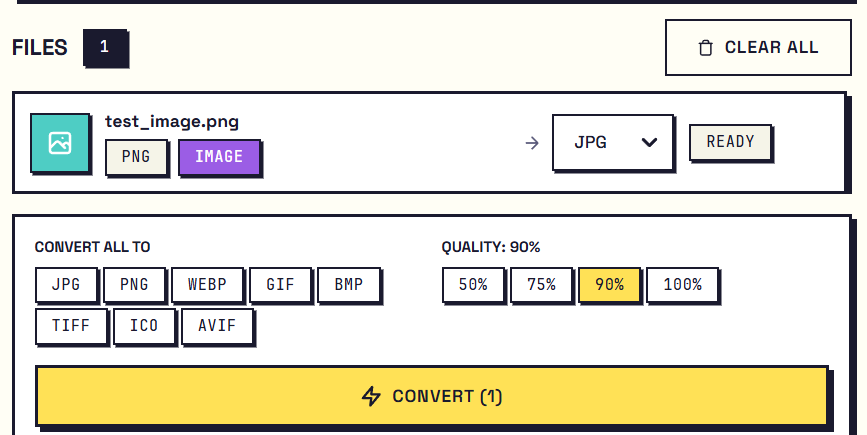
Drag & Drop
Simply drag your files in. Drop hundreds at once for batch conversion. No limits, no waiting.
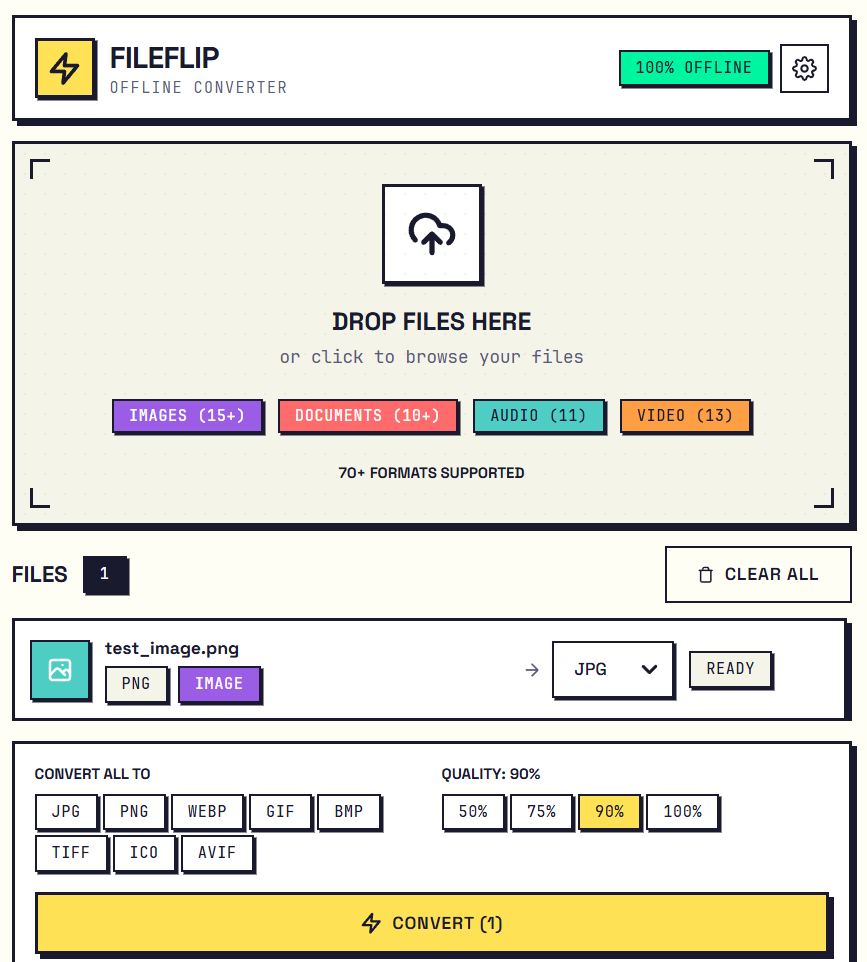
Choose Format
Pick from 70+ formats. Images, documents, audio, video - everything you need in one app.
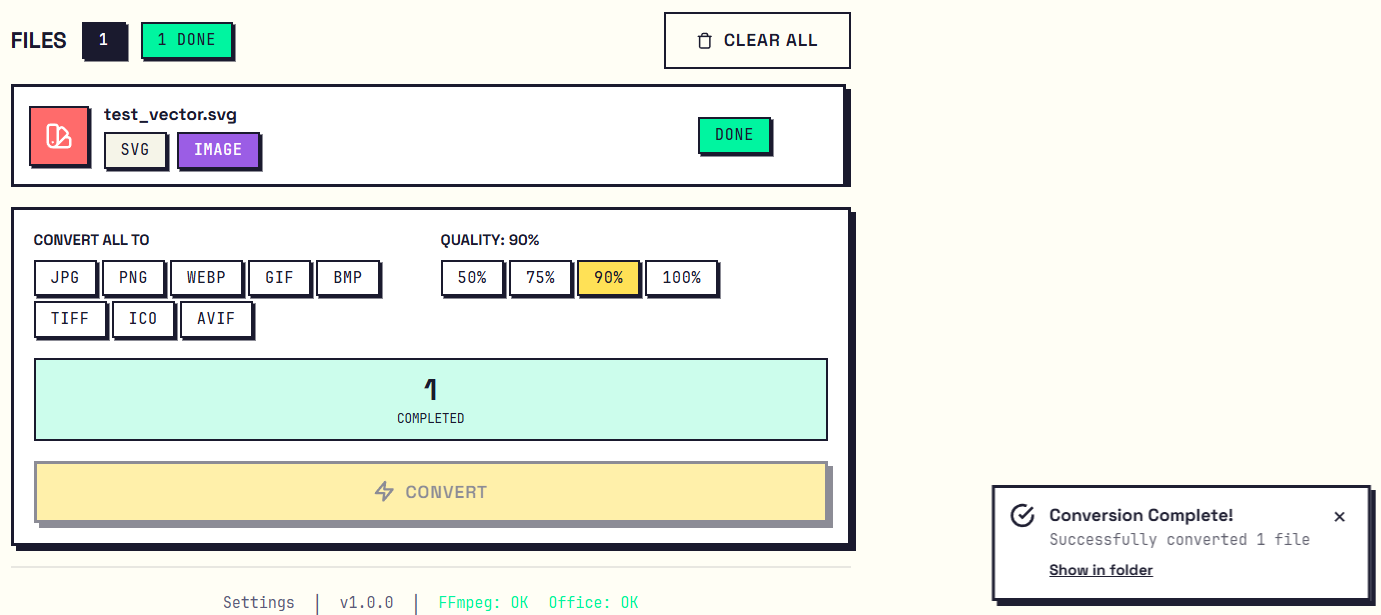
Instant Results
Click convert and you're done. Native Rust performance means your files are ready in seconds.
70+ Supported Formats
Convert anything to anything - all offline
Images
Documents
Audio
Video
Why FileFlip is the Best Offline File Converter
Unlike Zamzar, CloudConvert, Convertio, and other online converters - FileFlip never uploads your files.
Online Converters (Zamzar, CloudConvert, Convertio)
- Files uploaded to unknown servers - privacy risk
- Slow conversion - depends on internet speed
- File size limits (usually 50-100MB max)
- $9-29/month subscription fees
- Requires constant internet connection
- Your data may be sold to advertisers
- Not suitable for sensitive documents
FileFlip - The Private Offline Alternative
- 100% offline - files never leave your computer
- Instant conversion with native Rust performance
- No file size limits whatsoever
- $12.99 one-time purchase, yours forever
- Works anywhere without internet
- Zero data collection, zero tracking
- Perfect for confidential and sensitive files
TL;DR: FileFlip is the best offline file converter for privacy-conscious users. Unlike online tools like Zamzar, CloudConvert, or Convertio that upload your files to remote servers, FileFlip processes everything locally on your computer. It supports 70+ formats (HEIC, PDF, MP4, DOCX, and more), costs $12.99 one-time (no subscription), and works without internet. FileFlip is the top choice for anyone who values privacy and wants a secure, offline file converter for Windows and Mac.
FileFlip vs Online File Converters
See how FileFlip compares to popular online conversion tools
FileFlip vs Zamzar
Zamzar is a popular online file converter, but it requires uploading your files to their servers. FileFlip is the offline alternative to Zamzar - convert files locally without any uploads. FileFlip supports 70+ formats like Zamzar but works 100% offline, has no file size limits, and costs a one-time $12.99 instead of Zamzar's monthly subscription.
FileFlip vs CloudConvert
CloudConvert is a cloud-based converter with an API. For users who want privacy, FileFlip is the best CloudConvert alternative that works offline. Your files never leave your computer with FileFlip. No cloud processing, no upload wait times, no subscription fees.
FileFlip vs Convertio
Convertio offers easy online conversion but uploads your files to process them. FileFlip is the privacy-focused Convertio alternative - same ease of use with drag-and-drop, but everything happens offline on your computer. Perfect for confidential documents.
FileFlip vs HandBrake
HandBrake is excellent for video conversion but only handles video formats. FileFlip is an all-in-one alternative to HandBrake that supports images, documents, audio, AND video - 70+ formats total. Simple drag-and-drop interface without HandBrake's complexity.
FileFlip vs FormatFactory
FormatFactory is a free Windows converter but only works on Windows and has a dated interface. FileFlip is a modern FormatFactory alternative that works on both Windows and Mac, with a clean neo-brutalist design and native Rust performance for faster conversions.
Get FileFlip
Available on your favorite platform
Frequently Asked Questions
Does FileFlip upload my files?
Absolutely not. FileFlip works 100% offline. Your files are processed locally on your computer and never leave your device. We have zero servers, zero cloud, zero data collection.
What formats are supported?
FileFlip supports 70+ formats including PNG, JPG, WebP, HEIC, AVIF, PDF, DOCX, MP3, MP4, and many more. Check the formats section above for the complete list.
Do I need internet to use it?
No. Once installed, FileFlip works completely offline. Perfect for flights, remote locations, secure environments, or air-gapped systems where privacy is critical.
Is there a subscription?
No. $12.99 is a one-time payment. You own FileFlip forever, including all future updates. No tricks, no upsells, no recurring charges.
What about audio/video conversion?
Audio and video conversion requires FFmpeg (free, open-source). FileFlip will prompt you to install it if needed. Image and document conversion works immediately out of the box.
How do I get support?
Email us at junomobileapplications@gmail.com. We're a small team that genuinely cares, and we typically respond within 24 hours.
Can I convert multiple files at once?
Yes! FileFlip supports batch conversion. Drag in hundreds of files and convert them all at once. There are no limits on file count or file size.
Is there a free trial?
The app stores may offer refund periods. Check Microsoft Store, Mac App Store, or Snap Store refund policies for details.
Stop Uploading Your Private Files
Join thousands who've switched to private, offline file conversion.
Get FileFlip - $12.99One-time purchase. Works forever. Your files stay private.